Securing webhooks
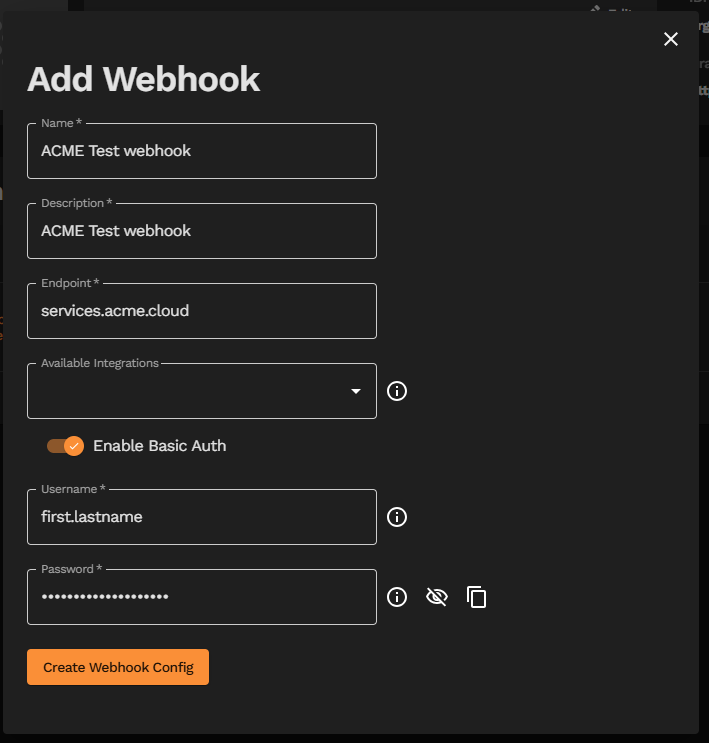
When adding a new or editing a current webhook, you have the option to add Basic Auth. This provides a layer of security to ensure that messages posted to your webhook URL(s) come from a source that has access to appropriate Basic Auth credentials. This increases confidence that these messages are sent by Yonomi Platform.
To add Basic Auth to a webhook in the Yonomi Platform Dev Portal, toggle on “Enable Basic Auth” and complete the required Username and Password fields. The tooltips provide information on necessary input requirements. Once completed, save your changes to add or edit your webhook.
Technical notes
Our Basic Auth service will try first to post a message without auth. To ensure that it retries with Basic Auth, your webhook service will need to respond always with a 401 HTTP response and a WWW-Authenticate response header if an incoming request does not include Basic Auth.
The WWW-Authenticate response header will need to contain a realm, e.g. "WWW-Authenticate": ‘Basic realm="(arbitrary value)"’.
Webhook requests that use Basic Auth credentials will have an Authorization header with value: Basic [<Username>:<Password> (base64 encoded)] per basic auth convention.
On this page
- Securing webhooks