V1 (Version 1)
iOS Deep Linking Integration - Version 1.0
Prerequisites
The device region must be set to the US (United States).
- For Sandbox (UAT) Users should be onboarded on iPOSpays sandbox(UAT) environment as a merchant and have a valid TPN.
- For Production (Live) Users should be onboarded on iPOSpays production environment as a merchant and have a valid TPN.
If you do not have a TPN, contact your ISO or devsupport@dejavoo.io.
Setup Testing Environment
- Install Xcode
Before setting up the testing device
- Use a separate device for testing.
- Only use the credentials given to you throughout the testing process.
To get sandbox credentials, contact support@dejavoosystems.com
- Avoid changing the account during testing.
- Don't change the device's date and time.
- These rules apply only to the testing environment, not production.
Watch This Video for a Visual Walkthrough of the Steps
To Develop iOS Application, Create a new iOS project or use the existing project and configure the below app setup.
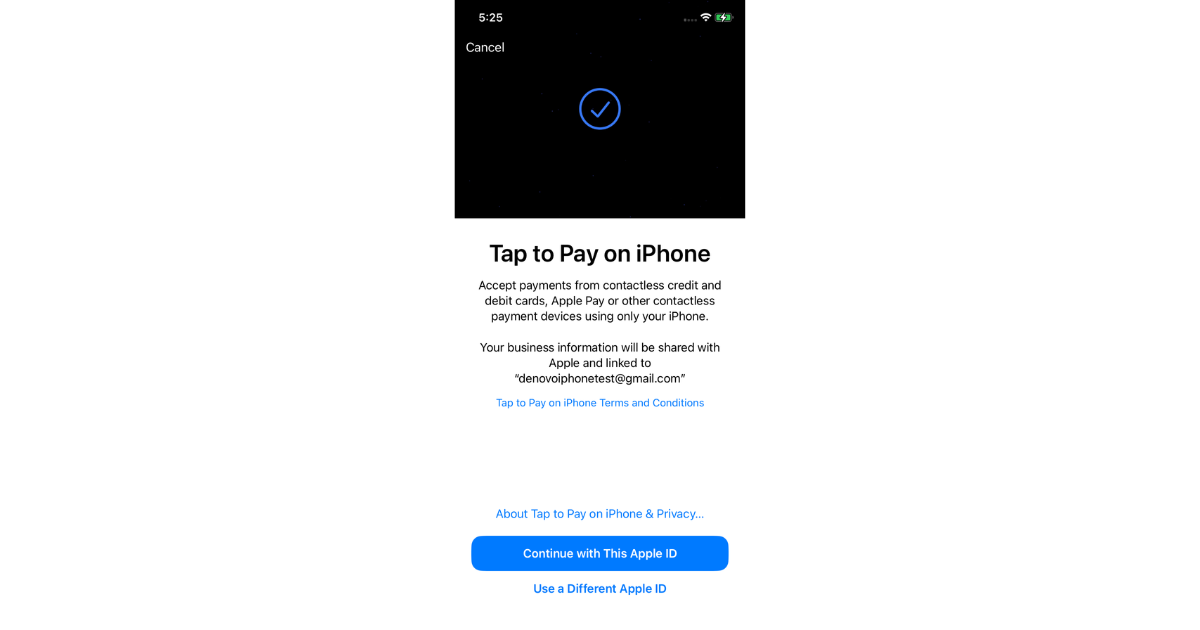
Initially, we will use the new TPN. You must accept the Apple Tap-on-Phone Terms and Conditions before proceeding with the Tap-on-Pay transaction.
Supported Device's & version's
- OS Version Above 16.9
- Tap to Pay on iPhone requires iPhone Xs or later.
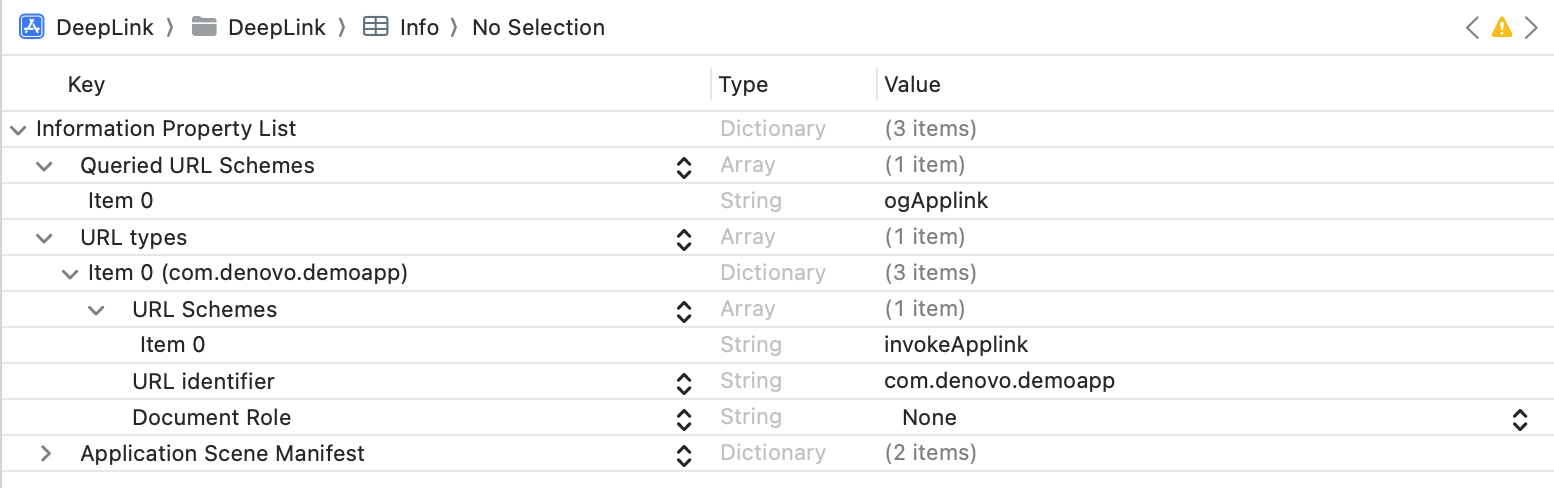
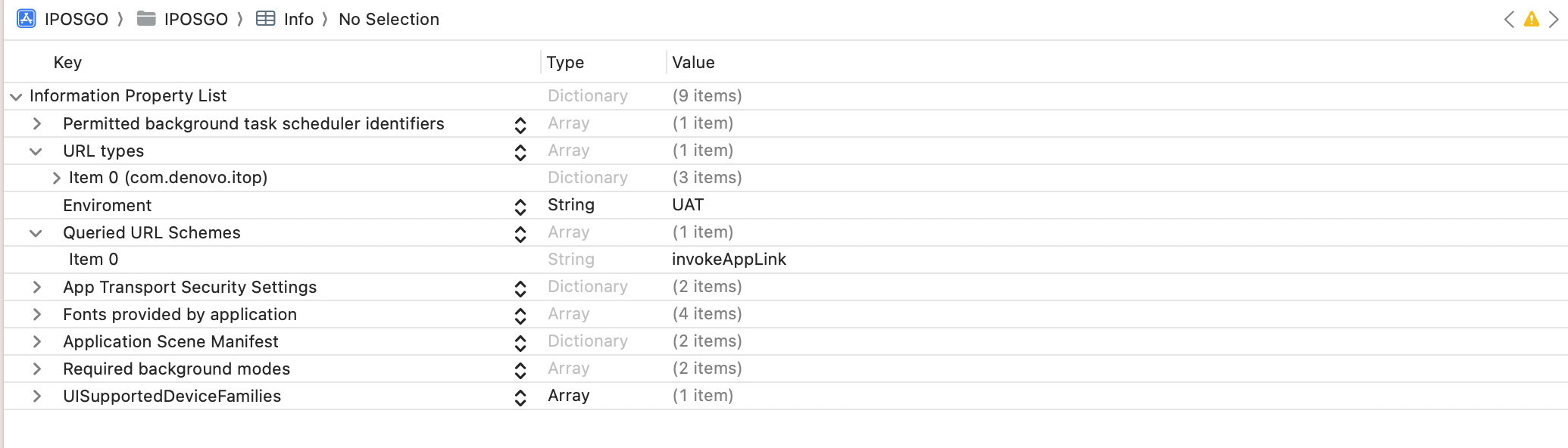
Configure the URL Scheme
Keys invokeApplink and ogApplink are case sensitive.
- Demo App Setup
- iPosGo! Setup
- Configure the SDK
Install the Applications
To install Demo App and iPosGo!! Application via link. I’ll create a diawi Link for testing purposes using this url to obtain the UDID for your device. I can now share the source file of the Demo application so that you can see how it is implemented.


On this page
- V1 (Version 1)