V2 (Version 2)
iOS Deep Linking Integration - Version 2.0
Prerequisites
The device region must be set to the US (United States).
For Sandbox (UAT) Users should be onboarded on the iPOSpays sandbox(UAT) environment as a merchant and have a valid TPN.
For Production (Live) Users should be onboarded on the iPOSpays production environment as a merchant and have a valid TPN.
If you do not have a TPN, contact your ISO or devsupport@dejavoo.io.
Set up Testing Environment
- Install Xcode
Before setting up the testing device
- Use a separate device for testing.
- Only use the credentials given to you throughout the testing process.
To get sandbox credentials, contact support@dejavoosystems.com
- Avoid changing the account during testing.
- Don't change the device's date and time.
- These rules apply only to the testing environment, not production.
To Develop iOS Application, Create a new iOS project or use the existing project and configure the below app setup.
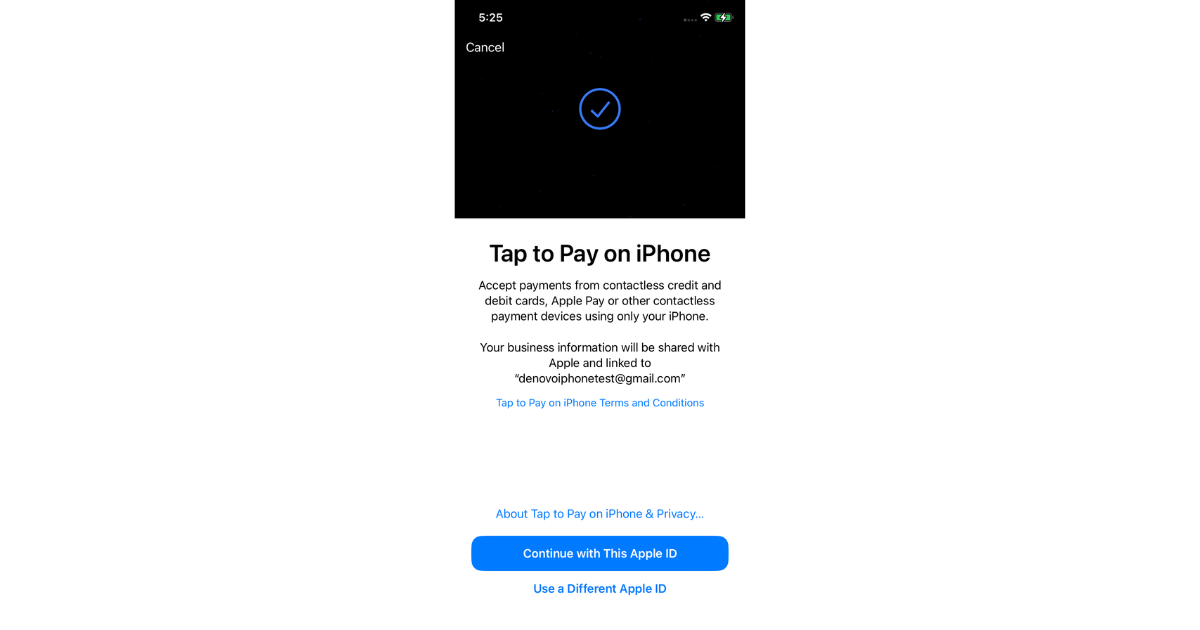
Initially, we will use the new TPN. You must accept the Apple Tap-on-Phone Terms and Conditions before proceeding with the Tap-on-Pay transaction.
Supported Devices & Versions
- OS Version Above 16.9
- Tap to Pay on iPhone requires iPhone Xs or later.
The SDK offers a flexible, parameter-driven UI configuration, allowing customization of the user interface based on the enabled or disabled states of specific features. For example, you have the option to not display the Tip, Transaction Breakup & Customer Approval Screens on the iPOSgo! app’s UI.
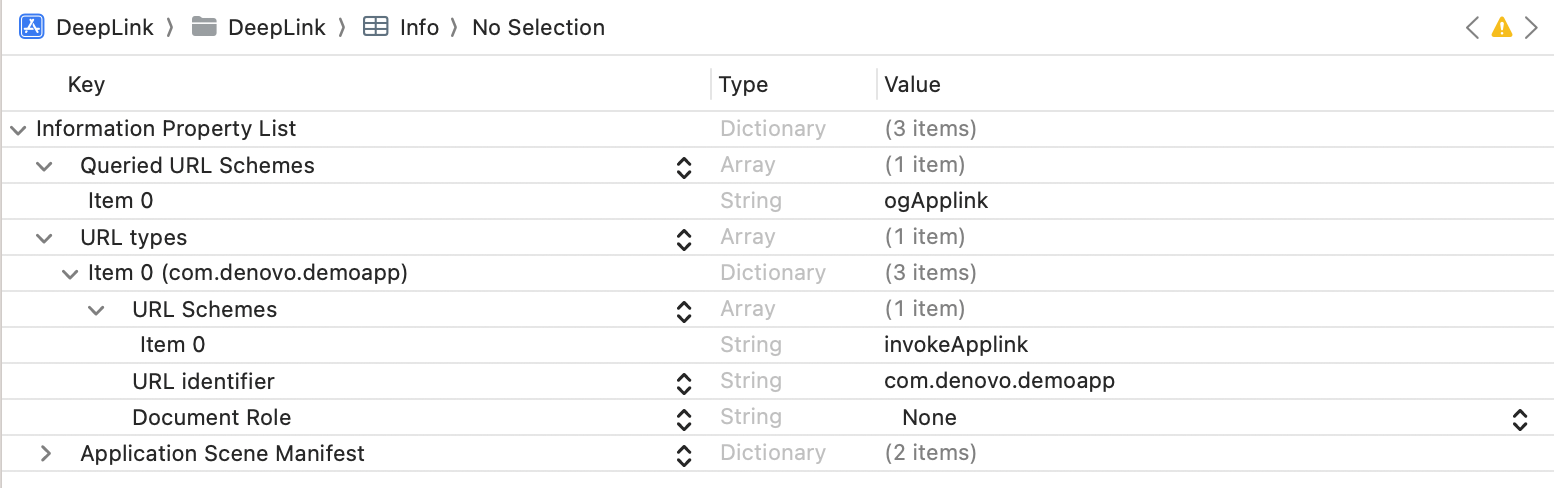
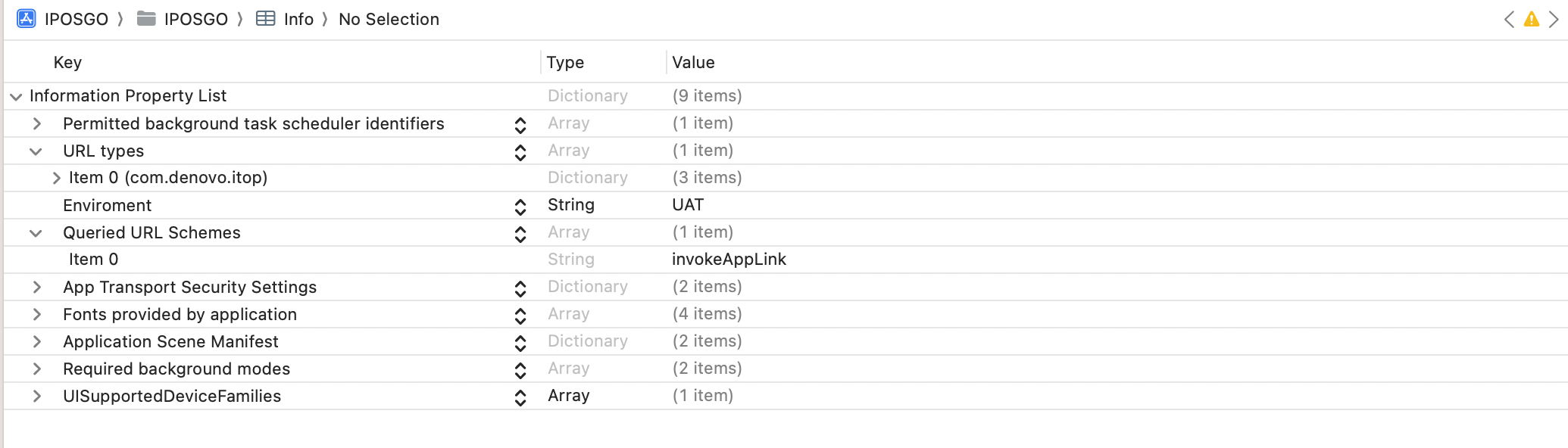
Configure the URL Scheme
Keys invokeApplink and ogApplink are case sensitive.
- Demo App Setup
- iPOSgo! Setup
- Configure the SDK
Install the Applications
The Demo App and iPOSgo! applications are installed via a link, and a Diawi link is created for testing purposes. The following URL is used to obtain the device’s UDID: https://get.udid.io/
After obtaining the UDID, the source file of the demo application is shared for review and implementation reference.


On this page
- V2 (Version 2)