Consume History
What is Consume History?
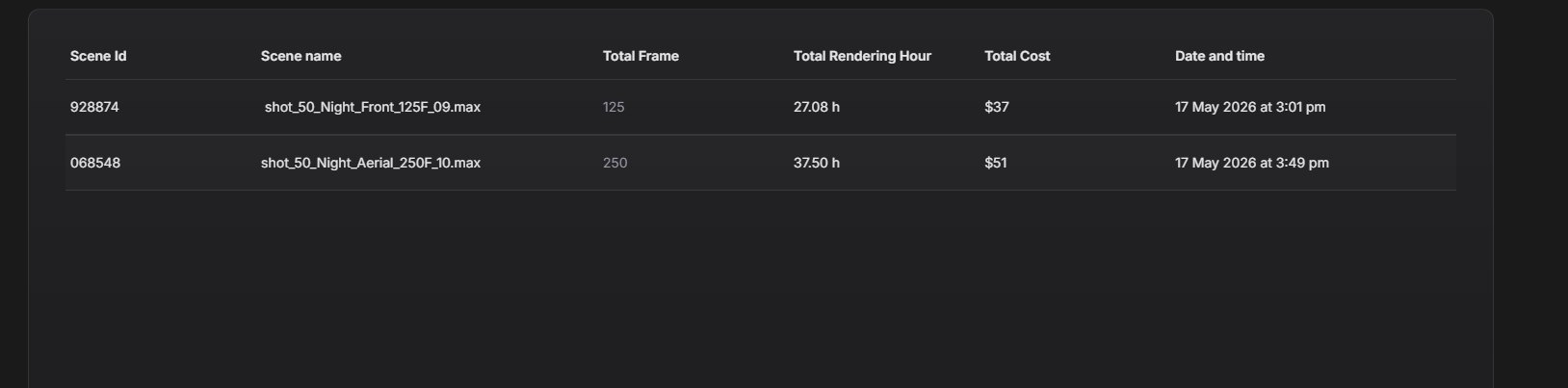
Consume History allows you to check the resource usage and consumption details of all scenes rendered through Active Render. It helps you track the render usage, render cost, and consumption history for each project or scene.
How to open Consume History?
1
Click on the second icon to open Consume History.

2
Here, you will find the report of all scenes you have submitted to Active Render.
Was this section helpful?


On this page
- Consume History