Introduction
Trader API gives you programmatic access to your trading account on the Match-Trader platform. It covers the day-to-day of trading: reading your account details and balances, browsing instruments and prices, opening and closing positions, placing and managing pending orders, and retrieving your trade and cash-flow history.
The API is scoped to a single trading account. Your token identifies that account, so you never pass a login or an account number in a request - every call operates on the account the token was issued for.
It is built for anything that acts on your behalf: a custom trading frontend, a desktop or mobile client, an automated strategy or bot, a spreadsheet that tracks your results, a risk dashboard, or an AI assistant.
There are two ways to reach it:
- REST endpoints cover everything: account data, instruments and prices, trading, and history.
- MCP lets an AI assistant work with your account directly, without you writing an integration at all.
Getting started
Access is granted in layers, and all of them have to be open before a request succeeds.
- Your broker enables Trader API for your account. If it is not available to you, contact your broker.
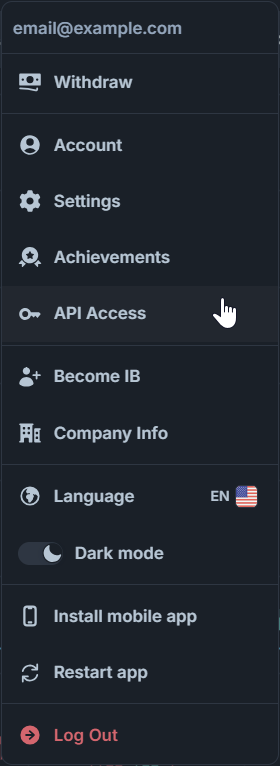
- You generate a token in Match-Trader, in the API Access view, and choose which resources it may read and trade on.
- You send that token with every request.
Base URL
https://trader-api.match-trader.com
Every path in this documentation already carries the API version, so a full request URL looks like https://trader-api.match-trader.com/v1/account.
Authentication
Every request must carry a JWT (JSON Web Token - a signed token that carries your trading account context inside it) in the standard Authorization header:
Authorization: Bearer <Your_Token_Here>
Treat the token like a password - anyone holding it can act on your account within the permissions you granted it.
Generating a token
Tokens are generated in Match-Trader in the API Access view. One token corresponds to one trading account, and you name it when you create it, so you can tell your integrations apart later. The token itself is shown once, at creation - afterwards the list shows only a masked form of it.
Permissions
You select what a token may do when you create it: full access, read-only, or a custom selection per resource. Each resource carries separate rights. A token that lacks the right for an operation gets 403.
Lifetime
Every token has a time to live (TTL). You can pick 30 days, 90 days, 6 months, 1 year, or any custom date - one year is the maximum, and there is no way to issue a token that never expires. A token is valid until 23:59:59 UTC on its expiry date. If the token was created with more than 5 days of life, you get an email reminder 5 days before it expires.
You can revoke a token at any time from the same view. A token is also revoked automatically when your broker disables Trader API or when your trading account or user account is deleted. A revoked token stops working immediately and cannot be reactivated - generate a new one instead. A revoked or expired token gets 401 on every request, without a reason given, and stays visible in your list with its status.
AI agents (MCP)
If you want an AI assistant to work with your account, you do not have to build an integration yourself. Trader API is also available over MCP (Model Context Protocol - an open standard that lets an AI assistant call an external service's operations directly, as tools, instead of going through code you write and maintain). The assistant discovers the available operations on its own and calls them in response to what you ask it in plain language.
- Connect your assistant to
https://mcp.match-trader.com/mcp. - The configuration does not include a token. Generate one in API Access as described above and provide it to your assistant.
- The token's permissions apply exactly as they do over REST - a read-only token gives the assistant a read-only view of your account.
- When you create a token, you can mark it as an MCP token. The flag is a label: it makes clear at a glance which of your tokens an assistant is using, so you can quickly revoke it without disturbing your other integrations.
The tools available over MCP are listed in the MCP section.
Trading permissions on your account
Separately from what your token is allowed to do, your account itself carries a permission level, returned as accessRight by Get Account:
FULL- all operations allowedCLOSE_ONLY- your account is in close-only modeTRADING_DISABLED- no trading operations at all, read endpoints still workACCESS_DISABLED- your account is blocked
Conventions
- Time - all timestamps in requests and responses are Unix epoch milliseconds in UTC. A field tied to a specific event on a resource is named after that event (
openTime,closeTime,createTime,lastUpdateTime); a field that simply marks when a data point was recorded is namedtimestamp. - Money - every monetary value is expressed in your account currency, returned by Get Account. Use
currencyPrecisionfor display. - Volume - order sizes are given in lots and must respect
volumeMin,volumeMax, andvolumeStepfrom Get Symbols. - Prices - round order prices to the instrument's
pricePrecisionfrom Get Symbols; extra decimal places are cut off. - Symbol vs. alias -
symbolis the instrument identifier and the value you send to the API.aliasis the display name of the same instrument and is returned for presentation only. - Filtering - list endpoints other than Get Ledgers accept a repeatable
symbolquery parameter, for example?symbol=EURUSD&symbol=USDJPY. Omit it to return everything your account can see - except on Get Quotes, where at least one symbol is required. Get Symbols and Get Ledgers use the same repeatable pattern fortype. - Partial updates - on
PATCHendpoints, a field you send is set to the new value, and a field you leave out is not touched. SendingtpPriceorslPriceasnullremoves that level. - Creating resources - endpoints that open a position or create a pending order return only its identifier. Fetch the details with the matching
GET. - Enum values - an enum field marked as nullable comes back as
nullwhen the platform returns a value outside the documented list.
History queries
History endpoints (Get Closed Positions, Get Ledgers) take a required from and to range and return at most limit records, 100 by default and 500 at most, newest first. There is no paging: when a range holds more records than limit, you get the newest ones - split the range into shorter ranges to get the rest. A range where from is later than to returns 400 error://trader-api/bad-request.
Status codes
200 OK- the request succeeded, and the body carries the result201 Created- a position was opened or a pending order was created204 No Content- the request was applied, and there is nothing to return400 Bad Request- the request failed validation, or the trading platform rejected its values401 Unauthorized- the token is missing, invalid, expired, or revoked403 Forbidden- the token does not have the permission the endpoint requires, or your broker has disabled that permission404 Not Found- the path, a query parameter value, or the position, pending order, or symbol you addressed does not exist or is not valid405 Method Not Allowed- the HTTP method is not supported on this path409 Conflict- the trading platform refused the operation (for example, not enough margin, trading session closed, account in close-only mode), or a request with the same idempotency key is still in progress422 Unprocessable Entity- an idempotency key was reused for a different request429 Too Many Requests- you have exceeded a rate limit500 Internal Server Error- an unexpected error in Trader API503 Service Unavailable- the request cannot be processed right now because of a temporary problem; retry later
Errors
Every error has the same shape, whatever the endpoint. It is sent with Content-Type: application/problem+json (RFC 9457 Problem Details - a standard JSON format for API errors) and an HTTP status that matches the status field.
path(string) - the request path with the actual identifiers filled in, without query parametersstatus(integer) - the HTTP status code, the same as the response statustype(string) - a stable identifier of the kind of error, in the formerror://trader-api/{code}. Base your error handling on this field, not on title or detail.title(string) - a short, human-readable name of the error. It does not change for a giventype, but several types can share the same title.detail(string) - a description of this particular occurrence. The wording can change, so never parse it or base logic on it.additionalInfo(object, nullable) - extra information as key-value pairs
Errors common to all endpoints:
400error://trader-api/bad-request- a required parameter is missing, a value is out of range (for examplelimitabove its maximum), or the JSON body is invalid or incomplete401error://trader-api/unauthorized- theAuthorizationheader is missing, or the token is invalid, unknown, expired, or revoked403error://trader-api/forbidden- the token does not have the permission the endpoint requires, or your broker has disabled that permission404error://trader-api/path-not-found- the path is unknown, or a query parameter has an invalid value (for example, text where a number is expected)405error://trader-api/method-not-allowed- the HTTP method is not allowed for the path (for examplePOSTon/v1/account)429error://trader-api/too-many-requests- the endpoint rate limit or the overall account limit was exceeded500error://trader-api/internal- an unexpected error in Trader API503error://trader-api/upstream-unavailable- the request cannot be processed right now because of a temporary problem; retry later
Errors specific to an endpoint, such as a trading operation refused by the platform, are listed on that endpoint's page.
Rate limits
Rate limits apply to your trading account as a whole, across every token issued for it. Creating a second token does not give you a second budget, and calls made by an AI assistant over MCP count against the same limits as calls you make yourself.
There are two pools, and a request has to fit in both: one overall pool for your account and a separate pool for each endpoint. Per-endpoint limits are stated on each endpoint's page - read endpoints returning slow-moving data are the tightest; trading operations get the most headroom.
You can see the overall and per-endpoint limits in Match-Trader, in the API Access view, once you have generated a token.
Limits are counted in a sliding one-minute window, so a burst at the turn of a minute does not double your budget. Every request that passes the limit check counts, including one that later ends in an error; a request rejected with 429 does not. Neither does a request rejected with 401 or 403 - the token and its permissions are checked before the limits, so those answers carry no X-RateLimit headers.
Every response to a request covered by a limit carries two headers: X-RateLimit-Remaining-Endpoint (requests left for this endpoint) and X-RateLimit-Remaining-Global (requests left in your account's overall pool). When you exceed a limit, you get 429 Too Many Requests with a Retry-After header - the number of seconds after which at least one more request will go through, not the time until the limit fully resets. Whichever of the two headers shows 0 tells you which limit you hit.
Idempotency
Trader API is used by bots and scripts that retry automatically. When a request times out or the connection drops, you cannot tell whether the order reached the platform, and a blind retry can open a second position.
To make a retry safe, send an Idempotency-Key header with a UUID on POST /v1/positions, POST /v1/pending-orders, and POST /v1/positions/{id}/close.
Example: Idempotency-Key: 550e8400-e29b-41d4-a716-446655440000
Repeating the request with the same key and the same body within 5 minutes returns the stored result of the first attempt, with the response header Idempotent-Replayed: true, and the operation is not executed again. This applies to errors too: if the first attempt failed, a retry with the same key returns the same error - use a new key to try again.
Keys are shared by all tokens of your trading account, and a replayed request still counts against your rate limits.
400error://trader-api/idempotency-key-invalid- the key is not a UUID409error://trader-api/idempotency-request-in-progress- a request with this key is still being processed; retry the same request shortly422error://trader-api/idempotency-key-reused- the key was already used for a different request body or endpoint; use a new key503error://trader-api/idempotency-unavailable- the key store is unavailable, and the operation was not executed; retry later or send the request without a key
PATCH and DELETE are idempotent by nature and do not need the header.
Versioning
The version is part of the path: /v1/.... A change that would break existing integrations lands under a new version rather than altering /v1 underneath you.


On this page
- Introduction