Connect Claude
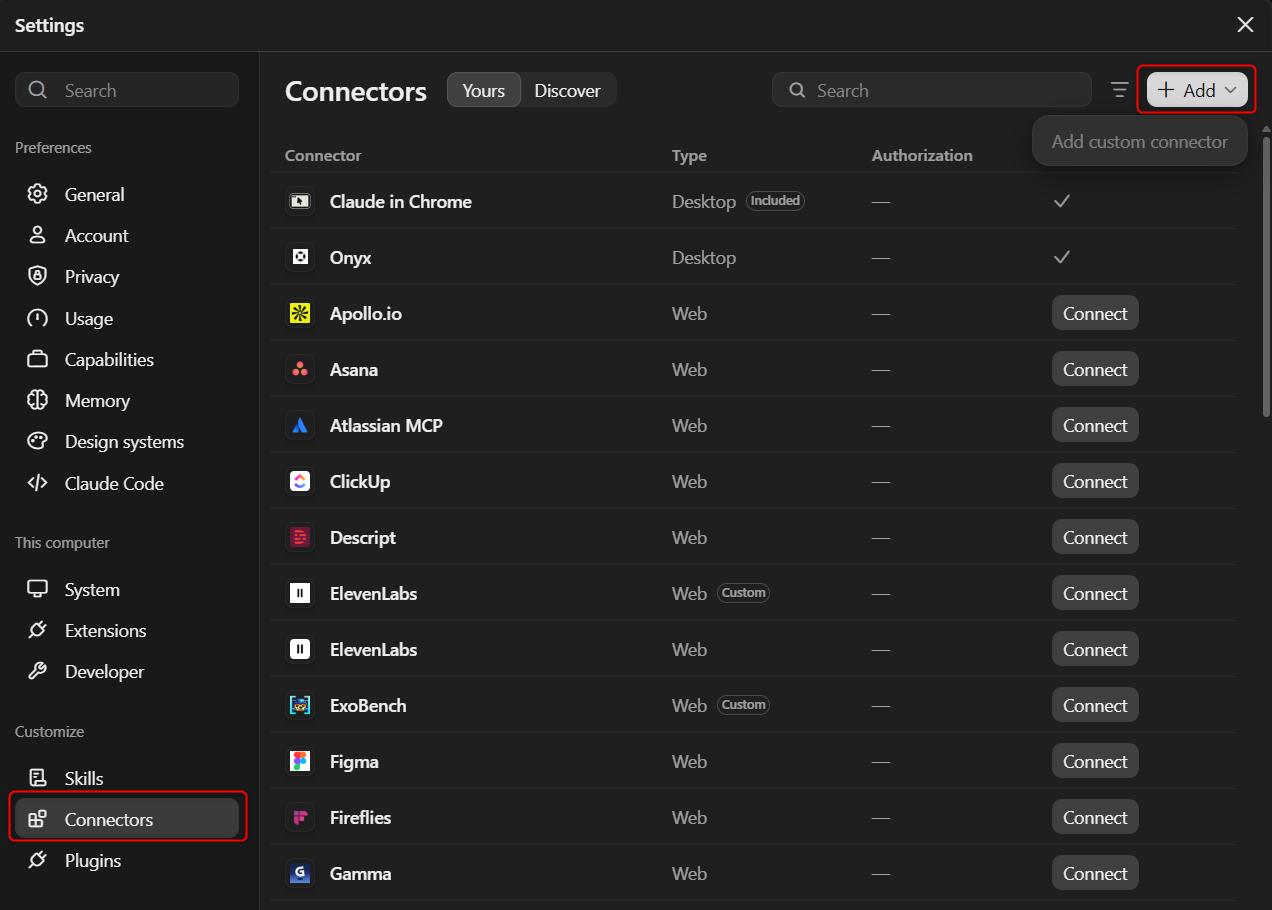
- Open Claude and go to Settings → Customize → Connectors. Click + Add and select Add custom connector.
- Enter a Name (for example, Match-Trader), paste the MCP server address into MCP server URL, and click Continue.
- Keep the default settings (Sign in now and Use Claude's published identity) and click Add.
- On the connector page, click Connect. In the Match-Trader MCP Server window, paste your token and click Connect.
- Return to Claude and open a chat. Click + → Connectors and enable your connector (for example, Match-Trader). You can now use the MCP server in your conversation.
Was this section helpful?


On this page
- Connect Claude