
Introduction
Theneo is the quickest, simplest way to generate high-quality, interactive API docs. Unlock the full potential of AI-powered API documentation: Create stunning, low-maintenance, and engaging docs with a single upload. Theneo streamlines every step of the process, ensuring that your documentation is not only comprehensive but also interactive and user-friendly.

All about this template

Single Page Template
You can now choose between two powerful documentation layouts: Continuous Scrolling and Single Page.
The new Single Page template is perfect for tutorials and guides — offering a focused, step-by-step reading experience, faster per-page loading, and clean section-based navigation.
Activating the Single Page layout is simple — just head to your project's settings on the dashboard, open the Features tab, and toggle on the Single Page Template option. For more detailed steps, visit our guide here.
Getting Started
To create and publish documentation in Theneo, you first need to create a Theneo account. If you don’t have an account yet, you can sign up for free here.
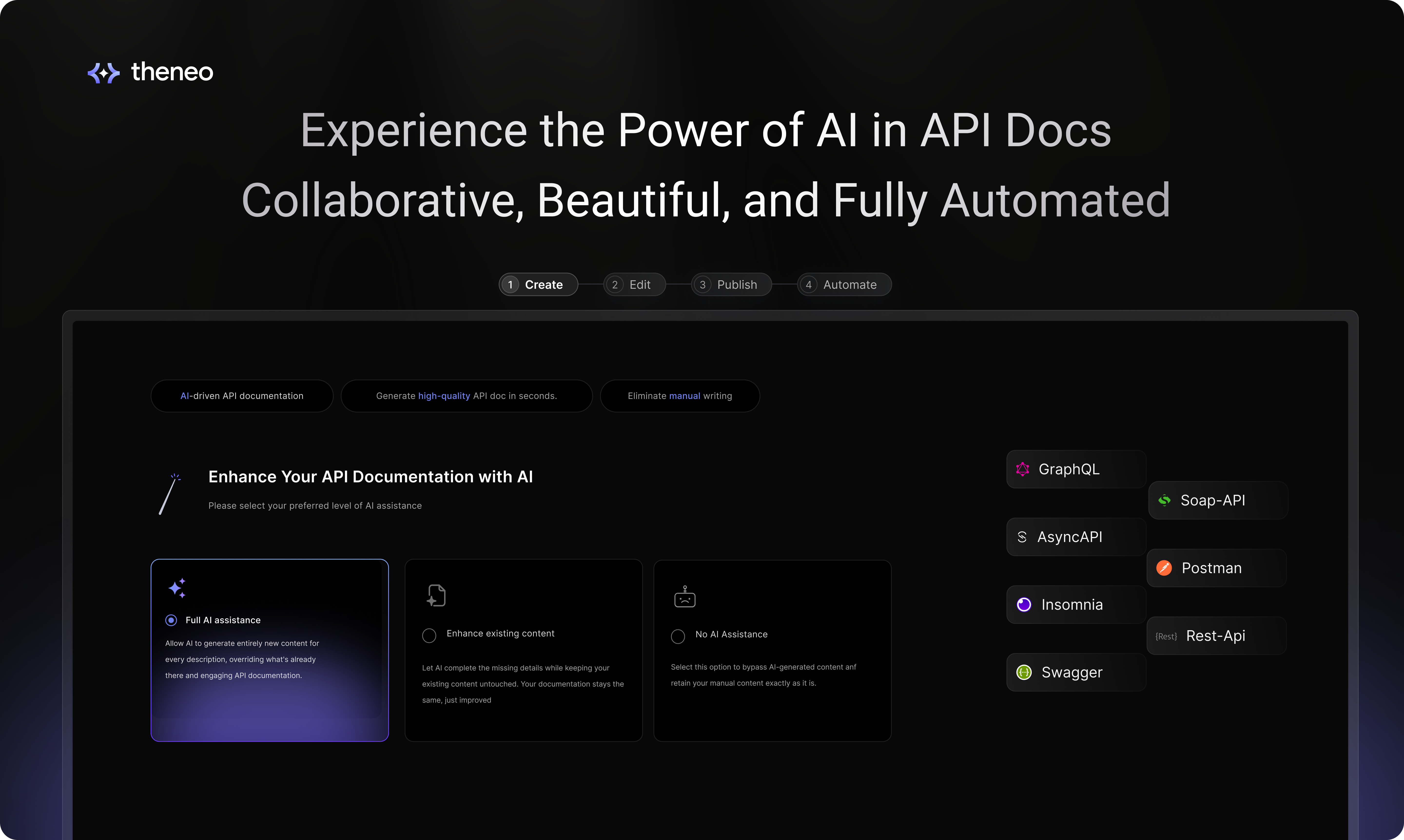
Create Your First Doc
When you log into Theneo, start by adding a new project from the homepage. Your project could be an API reference, a developer guide, or any type of documentation you need. Give your project a title, select the appropriate workspace, and you're on your way.
1
Uploading Your API Specification
Theneo accommodates a wide array of API specifications, making it easy to get started regardless of whether you have an existing spec or not. If you're equipped with Swagger, OpenAPI, GraphQL, or another format, the upload process is designed to be straightforward and efficient.
In case you don't have a spec ready, Theneo offers tools to help you create one from scratch. Use our intuitive interface to define your API endpoints directly within the platform. For additional guidance on creating or importing your spec and ensuring format compatibility, check out our guide.
If you do not have a spec, do not worry you can define that in Theneo as well, for more info click here.
2
Selecting Your AI Co-Pilot
Once your API specification is uploaded, you can harness the power of Theneo's AI Co-pilot to enrich your content. Decide whether you want the AI to fully generate the content, enhance what you've already created, or if you prefer to proceed without AI assistance. If you're looking to streamline the setup, simply click on "Quick Start" to bypass the customization and move directly to publishing.

3
Publish
Utilize Theneo's editing suite for final adjustments before publishing. Preview to ensure everything is perfect and publish to make your documentation available to users. It’s documentation made simple, yet powerful and comprehensive

What made this section unhelpful for you?


On this page
- Introduction