Check Data Credits Balance
How to check how many data credits you have remaining
Track your API consumption in real-time and stay in control of your budget.
Here's a step by step-by-guide to check your credits balance:
1
Go to the Similarweb platform
- Log in to your Similarweb account.
- From the left menu, select Settings > Account.
- Under Data Tools, select Data Credits management.
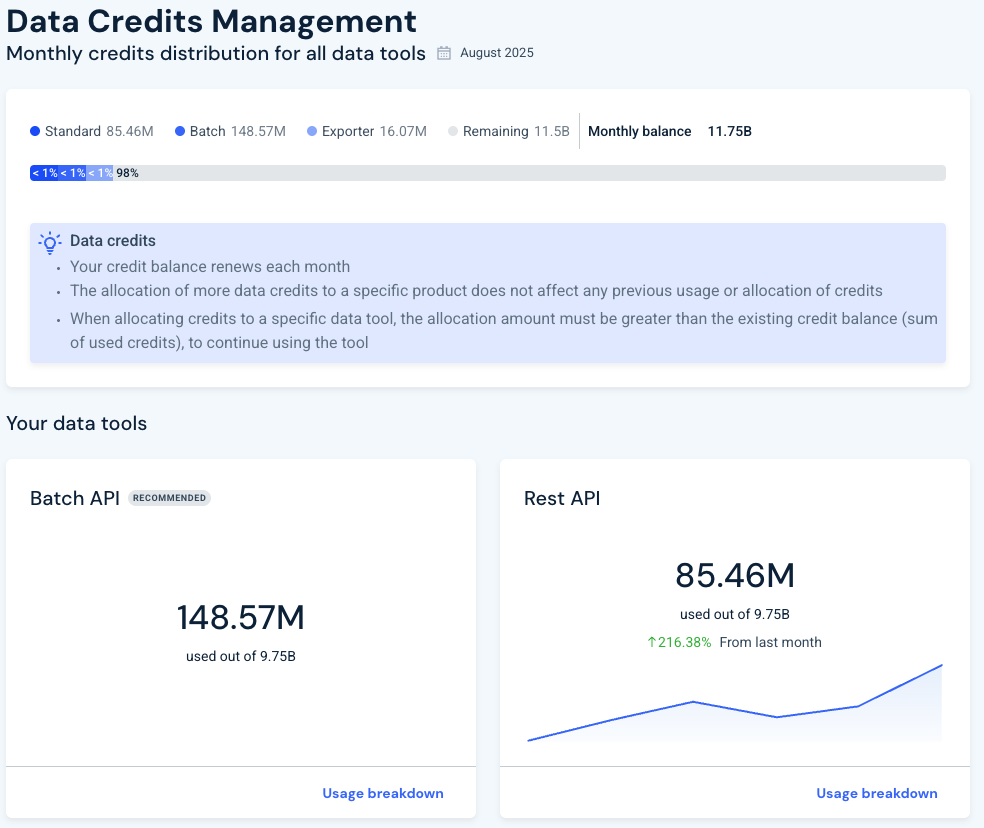
- See how many credits your account has via the bar at the top of the page separated into Batch and standard (REST) apis.
2
Check specific user usage
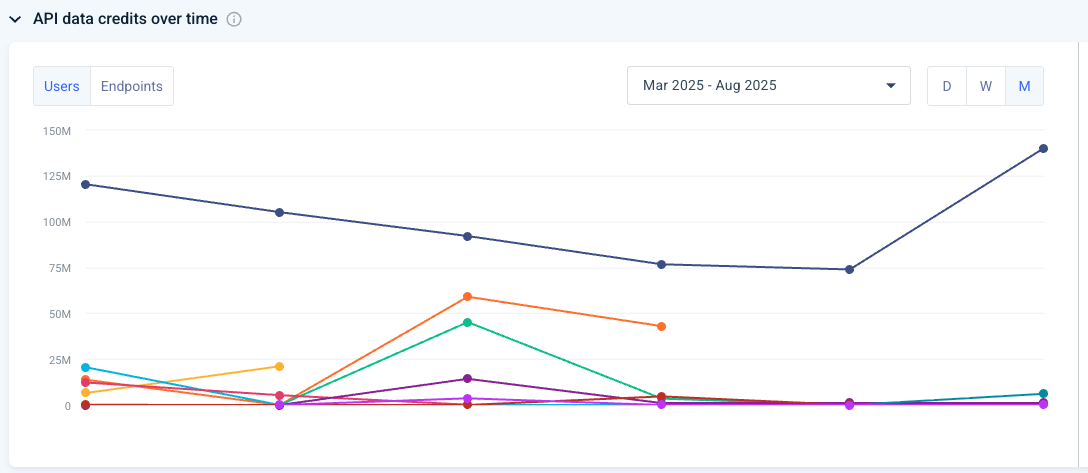
Click Usage breakdown under the relevant API you wish to check
View in the API data credits over time or under the Generated Keys the usage of each user overtime
Example:
Many of our endpoints contain limit capabilities so you can limit how many results you receive and minimize data credits consumption. To limit your data credits consumption you can use the following parameters for the relevant EPs:
- limit - limits the number of results per each call
- metrics - limits the fields outputs
- start & end date - limit the total dates you get data for
Was this section helpful?


On this page
- Check Data Credits Balance