Microsoft Excel Integration
The Similarweb Microsoft Excel Add-on (Updated June 2025) brings Similarweb’s digital intelligence directly into your spreadsheets. Use custom formulas to pull real-time web traffic, engagement, keyword, and geographic data—no code required.
Installation and Setup
The Similarweb Excel Add-in enables customers with API access to seamlessly pull traffic and engagement data directly into Microsoft Excel. This eliminates the need for manual API calls or technical expertise, allowing users to:
Retrieve data directly within Excel using simple formulas.
Automate updates in reports without needing additional scripts.
Combine Similarweb data with internal datasets for deeper insights.
Create custom metrics and aggregations on demand.
This guide walks through installation, setup, usage, and advanced features, ensuring you get the most value from the add-in.
Installation & Setup
Installing the Add-in
You can install the Similarweb Excel Add-in via:
Microsoft AppSource
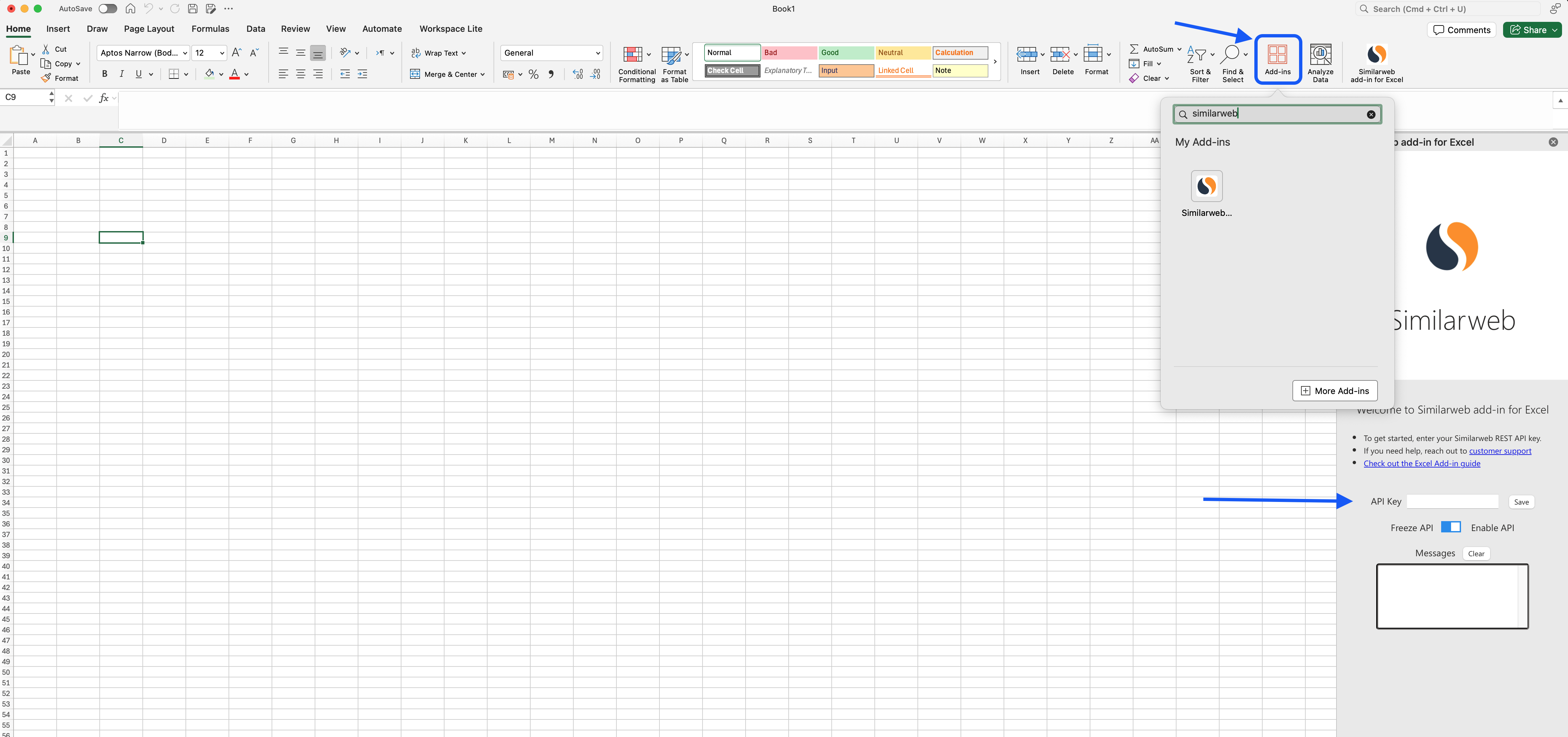
Open Excel, go to Insert > Get Add-ins. Or open Home > add-ins
Search for Similarweb.
Click Add, then confirm installation.
Alternatively you can visit the Microsoft Appsource product page and install the Add-in from there.
Option 2: From the Sheets
Open any sheet
Go to Extensions > Add-ons > Get add-ons
Search for Similarweb and install
Authenticate with Your API Key
Go to your Account Settings > REST API
Copy your API key
In the Similarweb add-on sidebar, paste your key
Click Save to activate
Was this section helpful?
What made this section helpful for you?
What made this section unhelpful for you?


On this page
- Microsoft Excel Integration