AI Co-Pilot
Theneo AI Co-Pilot revolutionizes the way you create API documentation by automating the generation of descriptive content. This powerful feature saves you significant time and effort, particularly when your API undergoes frequent updates. Here’s how you can leverage the AI Co-Pilot in Theneo:
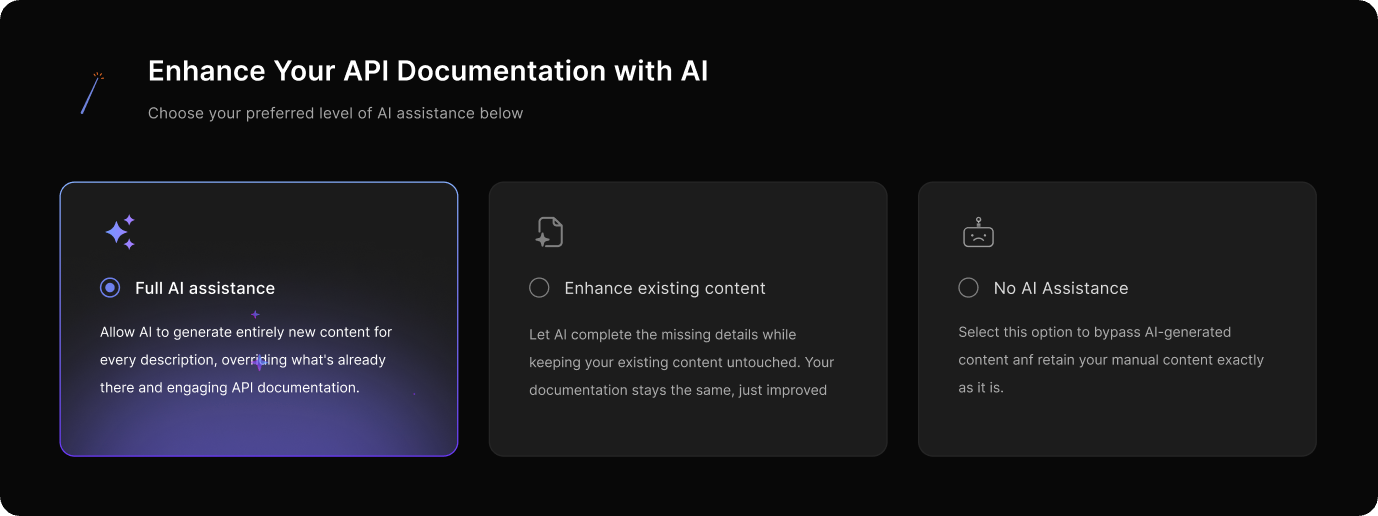
1. Opting for AI Assistance During Project Creation:
- Full AI Assistance: Choose this to allow the AI to craft new content for each part of your documentation, replacing existing descriptions for consistency and engagement.
- Enhance Existing Content: Select this for the AI to smartly fill in missing pieces without modifying what you’ve already crafted, preserving the originality of your content.
- No AI Assistance: If you prefer manual control over your content, opt for this to keep the existing documentation untouched by AI.
2. Using AI Assistant Within the Editor:
- Click on "AI Assistant" in the editor when working on an API spec.
- The AI Assistant proactively suggests detailed descriptions for each component of your API request, such as headers, body, parameters, and responses.
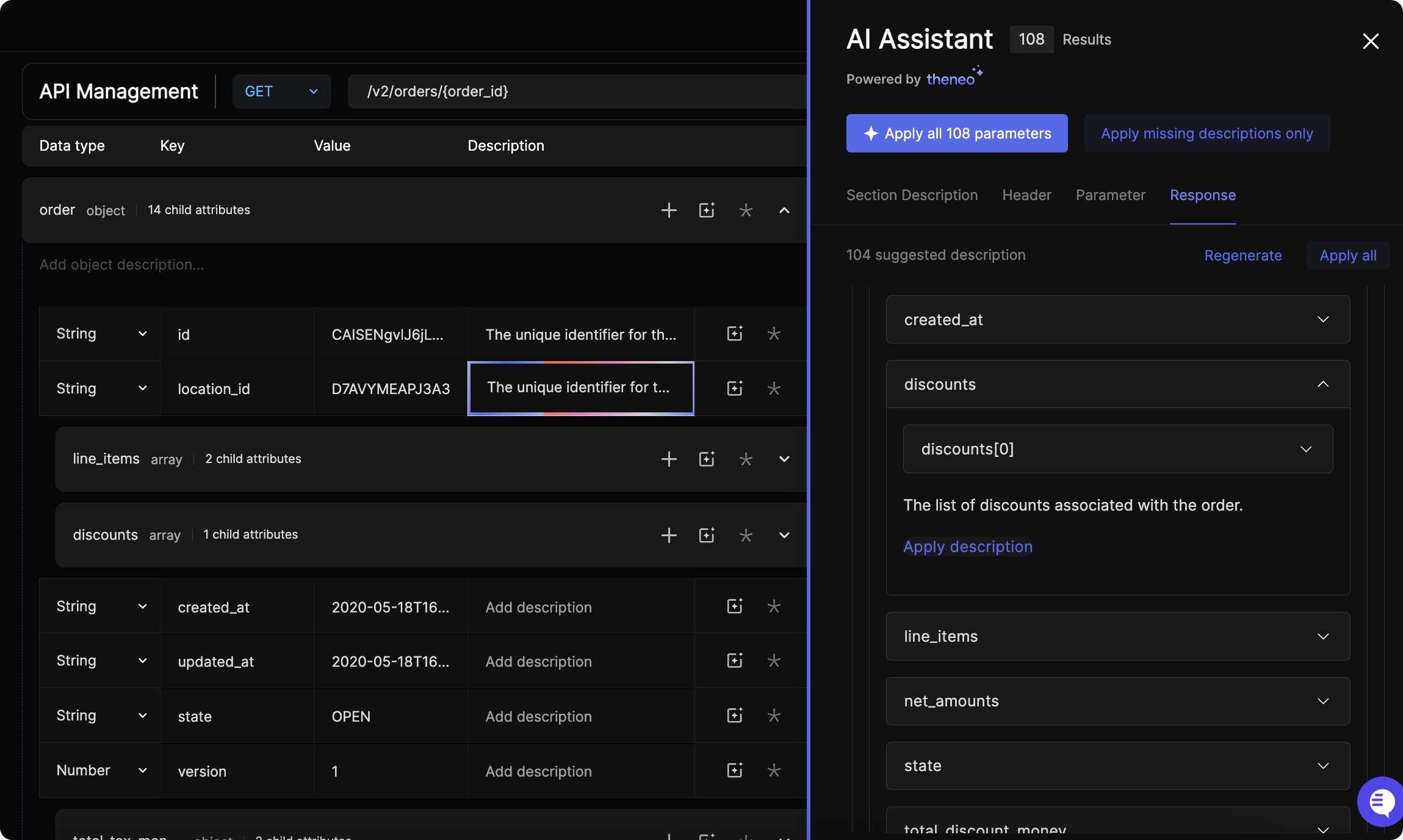
Example Workflow:
- Imagine you're documenting an order creation endpoint with a body parameter like
idempotency_key. The AI Co-Pilot might suggest a description such as "Provide a unique key to prevent duplicate orders on network failure," clarifying its use for your consumers.
Advantages of Theneo AI Co-Pilot:
- Time Efficiency: It dramatically reduces the time required to write and update documentation.
- Consistency: Ensures uniformity in language and style across all documentation segments.
- Accuracy: AI-generated content is designed to be precise, reducing potential errors and misunderstandings.
- Focus on Core Tasks: Frees up your time to concentrate on API design and development rather than documentation.
Integrating Theneo AI Co-Pilot:
The Theneo AI Co-Pilot is an invaluable resource, akin to having a dedicated technical writer on your team. It enhances your documentation process, ensuring that your API is documented thoroughly, accurately, and in a way that’s easy to understand for users, all while you remain focused on the more strategic aspects of API design and functionality.
Was this section helpful?


On this page
- AI Co-Pilot