Live Collaboration
We know, great collaboration leads to great results, and the Live Collaboration feature in our editor ensures that your team can work together in real-time to achieve just that. Whether you're working on documentation or complex projects, this feature allows multiple users to make updates simultaneously, ensuring everyone is on the same page and contributing effectively. With real-time visibility into who’s editing what, collaboration becomes smooth, organized, and more productive.
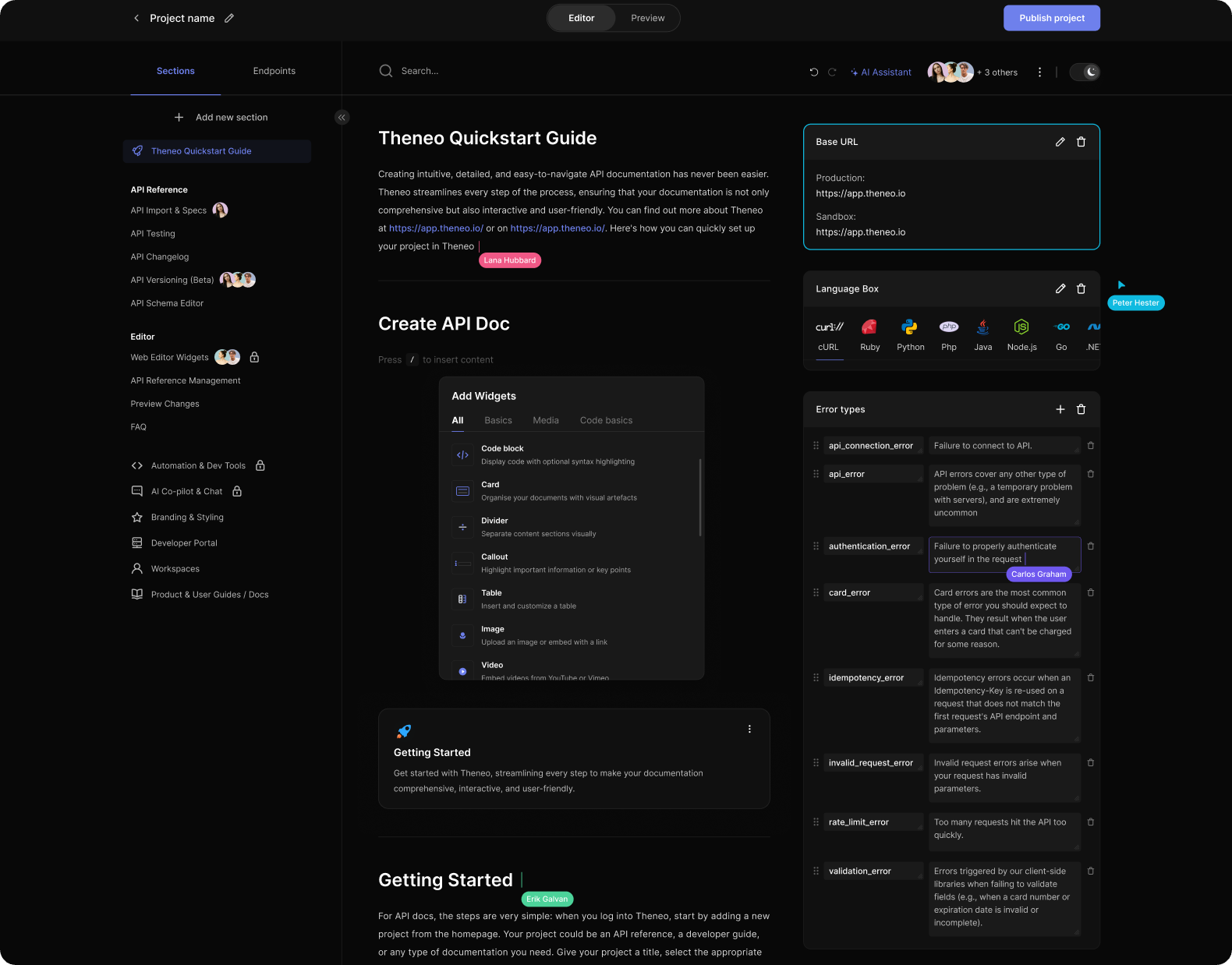
Key Features of Live Collaboration
- See Who’s Currently Editing a Section: At any point during the editing process, users can see which collaborators are actively editing a particular section. This visibility helps avoid confusion or duplication of work and ensures smooth collaboration among team members.
- View Where Others Are Editing: Within a section, users can see exactly where their collaborators are making changes in real-time. The editor highlights the text being edited by another user, giving you immediate feedback on what is being updated.
- Cursor Visibility: For greater clarity, the cursor of the collaborator is visible within the section description. This allows users to pinpoint the exact location where edits are happening, ensuring that changes are made in the correct area.
- See Who’s Editing Which Section in the Menu:The menu provides an overview of who is editing which section. Each section that is being actively worked on by a user is marked with their name, making it easy to track where collaborators are focused. This feature enhances coordination, especially in larger documents with multiple sections.
How to Use Live Collaboration
- Start Editing Together: Once users are invited to collaborate on a project or document, they can begin editing simultaneously. As soon as one user starts editing a section, others will see their presence and activity in real-time.
- Communicate with Collaborators: Although the collaboration feature does not include a built-in chat, the real-time presence indicators allow for smooth coordination. Teams can also supplement this feature with external communication tools to enhance collaboration further.
- Conflict Avoidance: Since all users can see who is editing a section, this minimizes the risk of conflicting edits. It helps maintain organized teamwork and ensures that changes are consolidated without accidental overwrites.
Was this section helpful?


On this page
- Live Collaboration